
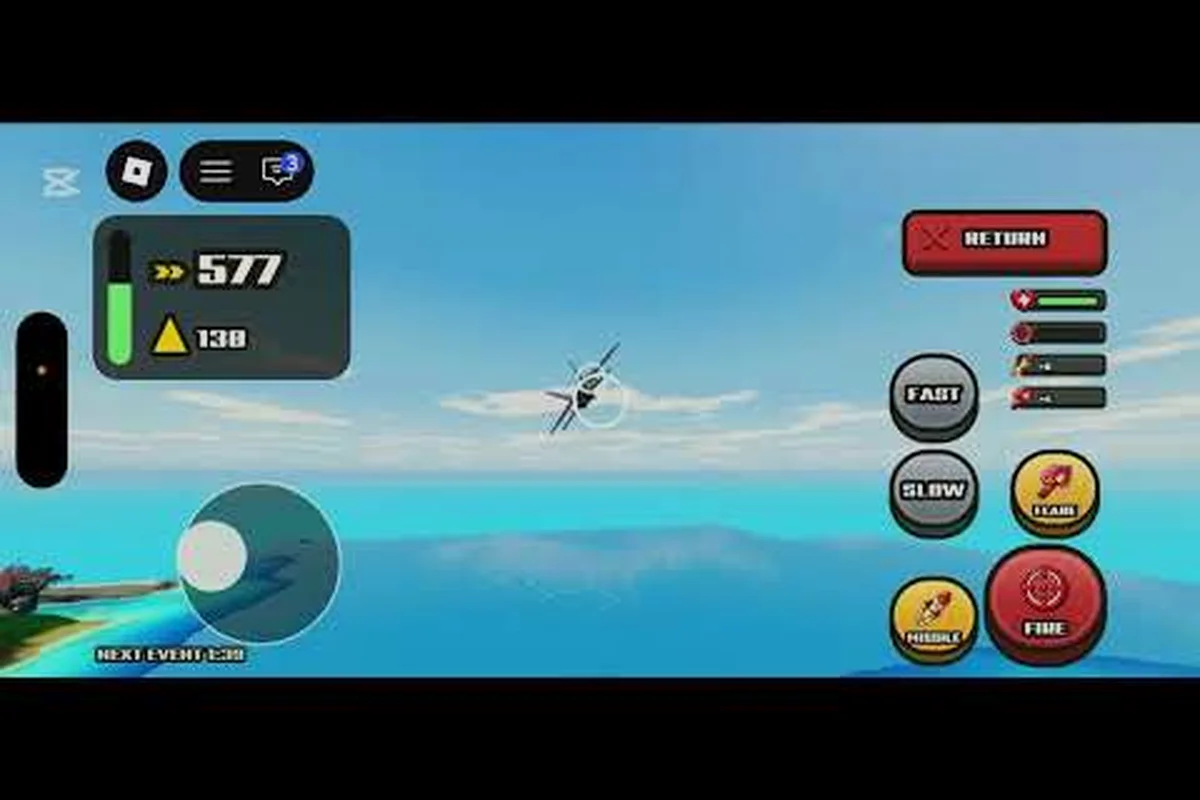
The World of Nukes live event rewards window runs from October 31, 2026 at 16:50Z to November 1, 2026 at 22:27Z, and every payout tied to it disappears when that clock hits zero. Community trackers flagged the window before the Roblox events page listing went dark, so the details below are reported by players rather than confirmed by the developer.
That gap matters. If you plan your session around a reward that turns out to be cosmetic-only, or you miss the claim step because nobody told you it existed, the loss is permanent. This breakdown covers what the World of Nukes live event rewards are reported to include, how the claim flow works, and what to do in the final hours before the window closes.
What the Live Event Rewards Window Actually Covers
The first thing to understand is that this is a limited-time window, not a permanent content drop. LootSheep's community tracker recorded the start at 16:50Z on October 31 and the close at 22:27Z on November 1, which gives players roughly 30 hours of real time to participate. A matching "UPDATE + LIVE EVENT" title appeared on the Roblox events page before that listing became unavailable, according to community reports.
Because the developer has not published an official reward table, treat every specific item name as community-reported until confirmed — there is no in-game API or Roblox catalog entry to cross-check against, so even datamined asset IDs circulating on Discord remain unverified. The safest approach is to assume the event follows the pattern most Roblox limited events use, where the reward pool is fixed at launch and only the unlock conditions vary:
-
A participation reward granted simply for joining during the window
-
One or more milestone rewards tied to in-match actions or time played
-
A community goal reward unlocked collectively by the player base
-
A cosmetic or badge item that will not return after November 1
The full live event overview covers the broader schedule and how this window fits into the game's event calendar, which is worth reading if you are still deciding whether to block out time for it.
Why the Timing Is Tighter Than It Looks
Thirty hours sounds generous until you account for time zones. The window opens late in the UTC day on October 31, which means players in North America get their first real shot in the afternoon or evening, while European players are already past midnight. By the time the window closes at 22:27Z on November 1, most of the world has had exactly one full day.
That compression is why the World of Nukes event news cycle moved fast. Community channels pushed alerts within hours of the tracker update, and the event reward guide lays out the unlock requirements in more detail for players who want to plan a route rather than improvise.
| Reward Tier | Reported Trigger | Claim Method | Expires |
|---|---|---|---|
| Participation | Join any match during window | Automatic on join | Nov 1, 22:27Z |
| Milestone | Complete in-match objective | In-game reward menu | Nov 1, 22:27Z |
| Community goal | Collective player progress | Automatic when goal met | Nov 1, 22:27Z |
| Cosmetic/badge | Event-specific action | Inventory after claim | Permanent once claimed |
How to Claim Each World of Nukes Special Event Payout
Claiming is where most players lose value, not playing. The pattern across similar Roblox events is that rewards are granted to your account but not automatically equipped or redeemed, which means an unclaimed item can quietly expire with the window. The official World of Nukes page on Roblox is the place to check for any developer-posted confirmation, though as of the tracker update it had not published a reward list.
Community reports converge on a repeatable claim sequence rather than a single button press, and the ordering matters because each step gates the next: the event flag from a full match must register before the rewards panel will list anything as unlocked, and the panel itself only refreshes after a rejoin. Skipping the manual confirmation step is the most commonly reported failure point, since a payout that shows as unlocked in the event UI can still sit unclaimed in the inventory tab until you click through it — which is why the sequence below ends with a verification rejoin rather than treating the first claim as final.
-
Join during the active window — joining before 16:50Z on October 31 does not count toward participation.
-
Play at least one full match so the event flag registers on your account.
-
Open the in-game rewards or event panel and manually confirm each unlocked item.
-
Screenshot your inventory after claiming, since support requests without proof are rarely resolved for limited events.
-
Rejoin once more before the close to verify nothing is still sitting unclaimed.
The Claim Step Players Skip Most Often
The single most-missed step is the manual confirmation in the event panel. Because the participation reward often arrives as a notification rather than an inventory item, players assume it is already secured and log off. Community reports from prior limited events suggest unclaimed entries are wiped at window close rather than held in a pending state.
If you only have a few minutes, prioritize logging in and opening that panel over squeezing in another match. A claimed cosmetic is worth more than an extra round of play. Treat the confirmation click as the final objective of your session, not an afterthought: open the event panel, verify the participation reward shows as claimed rather than merely "notified," and screenshot the claimed state in case support needs proof after the window closes. Because unclaimed entries are wiped at close, a five-minute login that locks in the cosmetic outearns a full match that leaves the reward sitting unconfirmed in the panel.
Reading World of Nukes Event News Without Getting Burned
Event news for this game spreads through community trackers, YouTube coverage, and Discord relays, and the accuracy varies wildly. The Roblox events page listing that matched this window was pulled, which means the most authoritative public source is currently unavailable — a situation that invites speculation.
Use this hierarchy when you evaluate a claim: start by asking whether the source can actually see the World of Nukes event backend or only its front end. An official Roblox game page announcement outranks everything because it reflects developer intent, while a community stat tracker timestamp only proves someone recorded a window, not that the World of Nukes live event rewards were finalized. Apply a simple test — if a claim about the special event cannot name its origin (patch note, developer post, or in-game screenshot), file it as a rumor and wait for a second independent source before repeating it in Discord.
| Source Type | Reliability | What It's Good For |
|---|---|---|
| Official Roblox game page | High | Confirmed dates, official announcements |
| Community stat trackers | Medium-high | Window timestamps, event titles |
| YouTube gameplay coverage | Medium | Visual confirmation of rewards |
| Discord relays and comments | Low | Early warnings, unverified leaks |
Community gameplay videos, including this event rewards coverage, can visually confirm what a reward looks like, but the uploader is not the developer. Treat footage as evidence of what happened in one session, not as a guarantee of what your account will receive.
Cross-Check Before You Commit Time
A practical rule: if a reward claim appears in only one place, wait for a second source before restructuring your evening around it. The World of Nukes community event chatter tends to converge within a few hours once a tracker updates, so patience costs little and prevents wasted sessions.
The November 2026 event coverage is also worth a look, since rewards that appear to expire on November 1 sometimes resurface in a follow-up window with different requirements. A concrete pattern: a cosmetic or crate drop tied to an October 2026 community event may close out at month's end, then reappear mid-November gated behind a fresh livestream milestone or a revised playtime threshold rather than the original objective. That shift matters because your saved progress toward the first requirement often won't carry over, so confirm the new condition on the event page before grinding again.
Planning Your Session Around the 30-Hour Clock
With a window of roughly 30 hours total and a hard close at 22:27Z on November 1, the smart play is to front-load participation and back-load verification: log in and bank at least one completed match early so the participation reward is locked in, then return during peak hours to push milestone objectives while the lobby is most active. Reserve the final stretch purely for auditing the event panel and screenshotting every claimed item, since verification — not playtime — is what protects your world of nukes live event rewards from silently lapsing.
-
First hour after open: join, complete one match, claim the participation reward
-
Mid-window: chase milestone objectives while the player base is largest
-
Final three hours: rejoin, open the event panel, confirm every item, screenshot
-
Final 30 minutes: do not start a new match — finish and claim instead
The reasoning behind the last point is simple. A match that ends after the window closes may not register its reward, and there is no recourse once the timer expires. Players who lost rewards in earlier limited events consistently report the same mistake: starting something they could not finish in time.
What the Livestream Coverage Adds
The World of Nukes event livestream coverage that circulates during active windows is genuinely useful for one specific purpose — seeing the reward panel in real time. Streamers who open the panel on camera effectively document the claim flow for everyone else, which is more informative than a text description.
What livestreams are less reliable for is exact timing. A streamer's session may run long past the close, giving viewers a false sense that the window is still open. Always verify against the tracker timestamp rather than a stream's runtime.
Comparing This Window to Previous World of Nukes Events
Understanding how this window stacks up against earlier ones helps you judge whether the rewards justify the time. Based on community-reported patterns across 2026 events, limited windows in this game have generally followed a short-and-sharp model rather than a long grind.
| Event Window | Duration | Reward Style | Claim Friction |
|---|---|---|---|
| October 31 – November 1, 2026 | ~30 hours | Participation + milestone + community | Manual panel claim |
| Earlier 2026 limited events | 1–3 days | Participation + cosmetic | Mixed automatic/manual |
| Seasonal/holiday windows | 1–2 weeks | Tiered progression | Mostly automatic |
The shorter the window, the higher the claim friction tends to be, because developers compress the flow and players have less time to discover quirks. That pattern makes the October 31 window one where verification matters more than optimization — you are unlikely to have time to fine-tune a strategy, but you absolutely have time to confirm your claims.
If you want the mechanical detail on how unlock requirements have worked historically, the guide to getting event rewards walks through the requirement structure step by step. That reference matters more than usual for this window: the table above shows the October 31 – November 1 event compressing participation, milestone, and community reward tiers into roughly 30 hours with a manual panel claim, whereas earlier 2026 limited events spread participation and cosmetic rewards across 1–3 days with mixed automatic/manual claims. Knowing which tier gates which reward — and which ones require you to open the claim panel yourself rather than firing automatically — is what separates a clean sweep of the milestone track from leaving community-tier rewards unclaimed when the window closes.
Final Hours: A Checklist Before the Window Closes
The last stretch is where discipline pays, and the biggest risk is a partial claim: an item marked "claimed" on the event panel that never actually lands in your inventory because the grant stalled mid-sync. Rather than experimenting with anything new — no last-minute rerolls, no unverified reward codes, no trading away event tokens — run a short verification pass against the reward tiers you actually earned and accept that whatever you have claimed is your final haul. Treat the remaining minutes as a reconciliation window, not a hunting window, so the only thing left to resolve is confirming each live event reward is genuinely yours.
-
Confirm the event panel shows zero unclaimed items
-
Verify cosmetics appear in your inventory, not just the event screen
-
Screenshot the panel and inventory together in one image
-
Note the exact time you verified, in case a support ticket is needed
-
Log out and back in once to confirm persistence
That last step catches a surprising number of issues. If an item vanishes after a relog, you still have time to re-claim it while the window is open — but only if you check before 22:27Z on November 1.
The broader November update coverage is worth a skim afterward, since post-event patches sometimes adjust how claimed items behave or introduce follow-up content that references the event. Concretely, watch the patch notes for three things: changes to the reward-grant sync that caused those mid-sync stalls, any item-ID remapping that could orphan a cosmetic already sitting in your inventory, and follow-up quests or community-event hooks that only unlock if the live event reward was flagged as claimed on your account. If a patch lands within 48 hours of the November 1 close and your relog check already passed, re-verify the inventory once more — a remap can silently swap a weapon skin's tier without touching the event panel count.
Frequently Asked Questions
When exactly do the World of Nukes live event rewards expire?
Community trackers list the close at 22:27Z on November 1, 2026, with the window opening at 16:50Z on October 31. Rewards not claimed before that close are reported to be wiped rather than held pending, so verify your event panel before the timer runs out.
Are the event rewards confirmed by the developer?
No. The developer, Build. Defend. Nuke., has not published an official reward table, patch note, or in-game manifest confirming names, quantities, or unlock triggers, and the matching Roblox events page listing went unavailable. Every circulating list, including the reported November 1, 2026 22:27Z close, stays community-reported until an official announcement appears.
Do I need to claim rewards manually?
Yes, you must claim rewards manually before the window closes. The World of Nukes live event ran October 31, 2026 16:50Z to November 1, 2026 22:27Z, so check the events page and redeem each payout during that 30-hour span. Treat reward details as community-reported until the developer confirms them.
What happens if a match ends after the window closes?
Rewards from a match that finishes after 22:27Z on November 1 may not register, and there is no recovery path once the timer expires. Stop starting new matches in the final half hour and focus on claiming what you have already earned.
Will these rewards return in a later event?
Cosmetic and badge items tied to a specific limited window typically do not return, according to community patterns across 2026 events. If a follow-up window appears, it usually carries different requirements and a separate reward set rather than reissuing the originals.